


SemLog
3.82.24K Reviews
App Specs
- Version
- 17
- Updated On
- License
- Free
- Downloads
- 1,000,000+
- Developer
- (NEW) SemLog Soft LLC
- Categories
- Parenting
- Platform
- Android
Screenshots

 Analysis by AppCompare
I’d start with one simple question before downloading SemLog: are you looking for a parenting app that helps your family talk about awareness, or for a full task manager? Its focus is raising awareness among families and children, so it makes most sense as a prompt for shared conversations rather than as a general organizer. That distinction matters, because the published description of the app is brief and the task-management features often associated with productivity tools shouldn’t be treated as its purpose.
As a parenting app from SemLog Soft LLC, it may suit a parent who wants to make a topic easier to discuss with a child. I would approach it as a possible starting point, not as a substitute for a parent’s judgement or a conversation tailored to a child’s age and circumstances. Its Everyone content rating makes it broadly accessible, but that is not the same as a guarantee that every subject or explanation will fit every family. I’d look through the app together first and decide what is appropriate before making it part of a child’s routine.
Where families may get stuck
The first friction point is knowing what to expect. SemLog’s short store description is simply its name, while its broader purpose is described as raising awareness among families and children. That gives a general direction, but not a detailed picture of the exact material or how a family should use it. If you install it expecting a planner, shared chore list, or a library of clearly organized lessons, you may need to reassess once you see what is actually presented in the app.
I’d also avoid assuming that an awareness app works best when a child uses it alone. Parents may need to set context, answer questions, and decide whether a topic is suitable for the child in front of them. A useful way to try it is to explore the available material yourself first, then invite your child to look at one item with you. That keeps the first experience manageable and gives you a chance to notice where a child might need an explanation.
Setup checks that save time
SemLog is free to download, with in-app purchases priced from $8.99 to $19.99 per item. I’d check the purchase screens before handing a device to a child, and agree in advance on whether paid content is something your family wants to consider. That is a more reliable approach than assuming that “free” means every part of the experience is included at no cost. The app is rated for Everyone, but a parent’s own review is still the best first step for deciding how it fits a particular household.
It has a 3.5 average from around 40,000 ratings, with roughly 1.6 thousand written reviews, and more than a million installs. I see that as a reason to keep expectations measured rather than as a verdict on whether it will suit your family. Reviews can reflect very different expectations and devices, so I’d focus on whether the app’s actual material is clear, relevant, and comfortable for your child. It was released on January 19, 2025, and version 1.1.4 requires Android 7.0 or later.
Recovering a family routine when use feels awkward
If a child loses interest or a discussion stalls, I wouldn’t force a long session. I’d pause, ask what felt confusing, and return later with one small topic rather than turning the app into homework. For a practical everyday scenario, a parent might set aside a few calm minutes after dinner, preview the material, and then ask the child what stood out. The goal is not to finish everything in one sitting; it is to make room for a useful exchange and stop if the moment is not right.
Worth Reading Before You Choose

Flipboard Shows What News Apps Must Do Beyond the Feed

Switching to Android Auto Means Rethinking Your Driving Routine

Google Calendar Makes a Crowded Week Easier to Manage

Ludo King Makes the Most of the Minutes Between Plans

Baby Panda World Brings Quick Play to Modern Phones, but Its Game Library Feels Busy

ESPN’s Live Game View Makes Following Close Games Easier
For families who already use books, school materials, or conversations with trusted adults, SemLog is best judged as another possible prompt, not an automatic replacement. A book may be easier to read together at a child’s pace, while a direct conversation can respond immediately to a child’s questions. The trade-off is that an app can offer a convenient shared starting point, but it still depends on an adult to help connect the material to everyday life. If you need a structured curriculum or a specific professional resource, choose that directly instead of assuming SemLog provides it.
When the app may not be the cause
If the app does not behave as expected, I’d first check the basics: confirm that the device meets the operating-system requirement, close and reopen the app, and make sure the connection is working if the task you’re trying depends on being online. Then try the same action again and note what happened. These are general troubleshooting steps, not a promise that every issue has the same cause. If a screen, purchase prompt, or piece of material seems unclear, it may be better to stop and review it together rather than repeatedly tapping through it.
Families should also separate a technical problem from a mismatch in expectations. If you opened SemLog hoping for a calendar, reminders, or a child-monitoring dashboard, not finding those tools would not necessarily mean the app is broken; those are different jobs from its stated awareness focus. Likewise, a child’s reluctance may reflect timing or the subject matter, not a problem with the device. A short pause and a conversation can be more useful than trying to troubleshoot a family response as though it were an app error.
Getting Started with SemLog
First off, downloading and setting up SemLog was a breeze. Available on both Android and iOS, you can grab it from your app store of choice. The interface is clean and intuitive, which means you won’t spend ages trying to figure out where everything is.
Once you’re in, you’re greeted with a straightforward dashboard. It’s all about simplicity here, folks. You’ve got your main menu where you can easily add tasks, set reminders, and even categorize your entries. For someone like me who can’t survive without a to-do list, this is a lifesaver. Plus, the app syncs across devices, so you won’t miss a beat.
Features That Stand Out
One of the things I absolutely love about SemLog is its customization options. You can tailor the app to fit your personal style with different themes and layouts. It’s nice to have a bit of personality in an app I’m using daily.
Now, here’s where it gets interesting: the app includes a built-in feature for collaborative tasks. You can share your lists and tasks with friends or colleagues, making it perfect for both personal and professional use. It’s like having a mini project management tool right in your pocket.
Let’s not forget the reminder system. I can’t count the number of times I’ve nearly forgotten a deadline, but with SemLog’s timely notifications, those days are over. You can set reminders for each task with a simple tap, ensuring you never miss out on important events or meetings.
Why You Might Love It
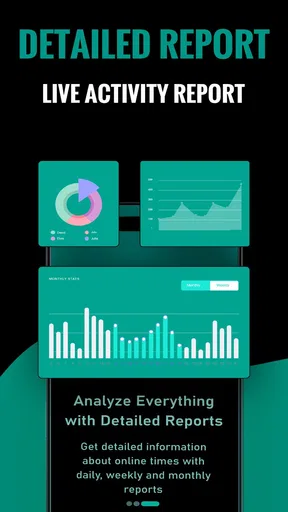
If you’re someone who thrives on organization, SemLog is your new best friend. The app’s ability to track progress through detailed reports is fantastic. You can see how you’re doing with your tasks over time, which is great for personal growth or tracking team projects.
The user interface deserves a special mention for being user-friendly and aesthetically pleasing. It’s clear that the developers put a lot of thought into making the app both functional and enjoyable to use.
For those who are always on the go, the offline mode is a blessing. You can access your tasks without needing an internet connection, which is perfect for when you’re traveling or in areas with spotty reception.
Final Thoughts
All in all, SemLog is a solid app that delivers on its promises. Whether you’re managing a hectic work schedule or just trying to keep your personal life organized, it’s got the tools to help you succeed. I’d recommend giving it a try and seeing how it fits into your daily routine.
So, what are you waiting for? Head over to the app store, download SemLog, and start organizing your life one task at a time. Trust me, you won’t regret it!
A more practical way to decide
For a first trial, I’d keep the setup low-pressure: install it on the adult’s device, take a look at what is available, and decide whether there is a suitable point to explore with a child. If the material feels relevant, make the first session brief and let the child’s questions guide the pace. This approach is useful because it separates two decisions that are easy to blur together: whether the app is relevant to your family, and whether a particular item is right for your child today.
It may be a good fit for parents who are comfortable using a digital resource as a conversation starter and who are willing to stay involved. It is less suitable for families seeking a hands-off app that independently teaches a complete program, or for anyone who needs a clearly defined set of lessons for a particular age or situation. In those cases, a resource with an explicit curriculum or guidance from a trusted professional is the more dependable choice.
Questions worth settling before regular use
One natural question is whether a child can use the app without a parent. I would not make that the default simply because the content rating is Everyone. For a family-focused awareness tool, an adult can help interpret ideas, spot discomfort, and keep the discussion grounded in the child’s real life. Another practical question is whether the free download is enough. Since individual in-app purchases are available, review any payment choices before a child explores independently and decide how purchases will be handled at home.
Parents may also wonder whether SemLog replaces other resources. I would treat it as an optional addition rather than a replacement for school materials, books, or direct conversations. Each has a different strength: a book gives you control over pace and sequence, a conversation can respond to a child’s immediate concern, and an app may provide a convenient shared focus. The best choice depends on what the child needs in that moment, not on using one format for everything.
My practical verdict
I’d give SemLog a try if its family-awareness focus matches a conversation you already want to have and you are happy to preview the experience first. Keep expectations tied to that purpose, check paid choices with care, and use it alongside your own guidance. If what you really need is a task manager, a formal learning plan, or an app that can take over a parent’s role, I’d choose a more clearly suited option. Used thoughtfully, SemLog can be a starting point for family discussion; its value depends less on leaving a child alone with a screen and more on what you talk about together afterward.
Pros
- User-friendly interface enhances navigation.
- Supports multiple file formats seamlessly.
- Real-time collaboration boosts productivity.
- Cloud integration ensures data security.
- Customizable settings for personalized use.
Cons
- Limited offline functionality restricts access.
- Occasional sync issues with cloud services.
- Requires a stable internet connection.
- Some features locked behind paywall.
- Initial setup can be time-consuming.
FAQs for SemLog
What is SemLog and what does it do?
SemLog is a comprehensive application designed to help users efficiently manage and organize their digital notes and tasks. It offers features like tagging, search functionality, and cloud synchronization, allowing users to access their notes across multiple devices. With a user-friendly interface, it caters to both personal and professional needs.
Is SemLog available on both Android and iOS platforms?
Yes, SemLog is available for download on both Android and iOS devices. Users can find it on the Google Play Store and the Apple App Store. The app ensures a seamless experience across different operating systems, making it convenient for users who switch between devices.
Does SemLog offer any cloud synchronization features?
Absolutely, SemLog provides cloud synchronization, allowing users to access their notes and tasks from any device. This feature ensures that your information is always up-to-date and accessible, whether you're using a smartphone, tablet, or computer. All data is securely stored, giving users peace of mind.
What are the main advantages of using SemLog?
SemLog offers several advantages, including a user-friendly interface, robust search functionality, and efficient organization tools like tagging and categorization. Its cloud synchronization ensures data is accessible from anywhere, and its cross-platform availability makes it ideal for users with multiple devices. Additionally, it supports collaboration, enhancing productivity.
Are there any costs associated with using SemLog?
SemLog offers both a free version and a premium subscription option. The free version includes basic features, while the premium subscription provides access to advanced functionalities like enhanced collaboration tools and additional storage. Users can choose according to their needs, with flexible pricing options available.


